Selecting a High Quality Premium Voice in 7 Minute Workout
Make the spoken coaching in 7 Minute Workout sound more natural by downloading a free Premium or Enhanced iOS voice.
Custom workouts (and built-in workouts set to use the same voice) are read out by an iOS voice. Downloading a Premium or Enhanced voice makes it sound much more natural.
- Open the Settings app and tap Accessibility.
- Tap Read & Speak (called Spoken Content on older versions of iOS).
- Tap Voices, choose your language, then choose a voice.
- Download a Premium or Enhanced version.
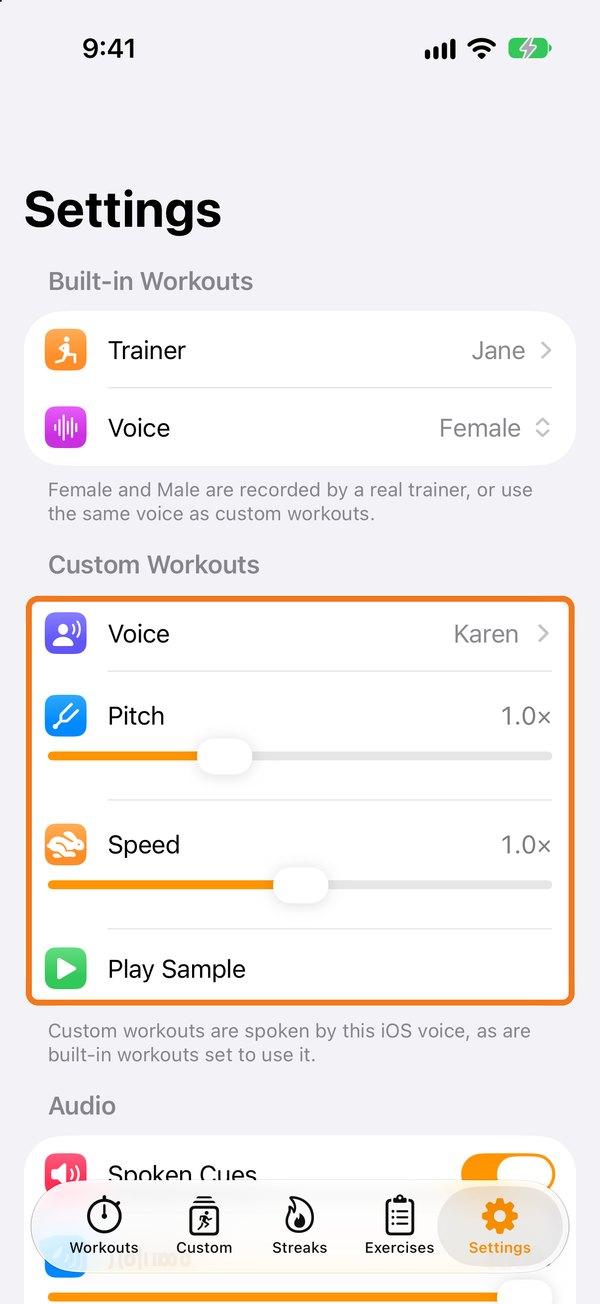
Then in 7 Minute Workout go to Settings → Custom Workouts → Voice and pick the voice you downloaded. You can change its pitch and speed there too.
See also: Voice, audio and video settings.