Switching From A WordBoard Subscription To Lifetime
Lifetime is a one-time purchase, separate from the monthly and annual subscriptions. While your subscription is active WordBoard already counts you as Pro, so the upgrade screen with the Lifetime option won't appear until the subscription ends.
Switching to Lifetime
- Cancel your subscription: open the Settings app → [your name] → Subscriptions → WordBoard → Cancel Subscription. You keep Pro until the end of the period you've paid for.
- When the subscription ends, open WordBoard and go to More → Unlock Pro Access.
- Tap see all options and choose Lifetime.
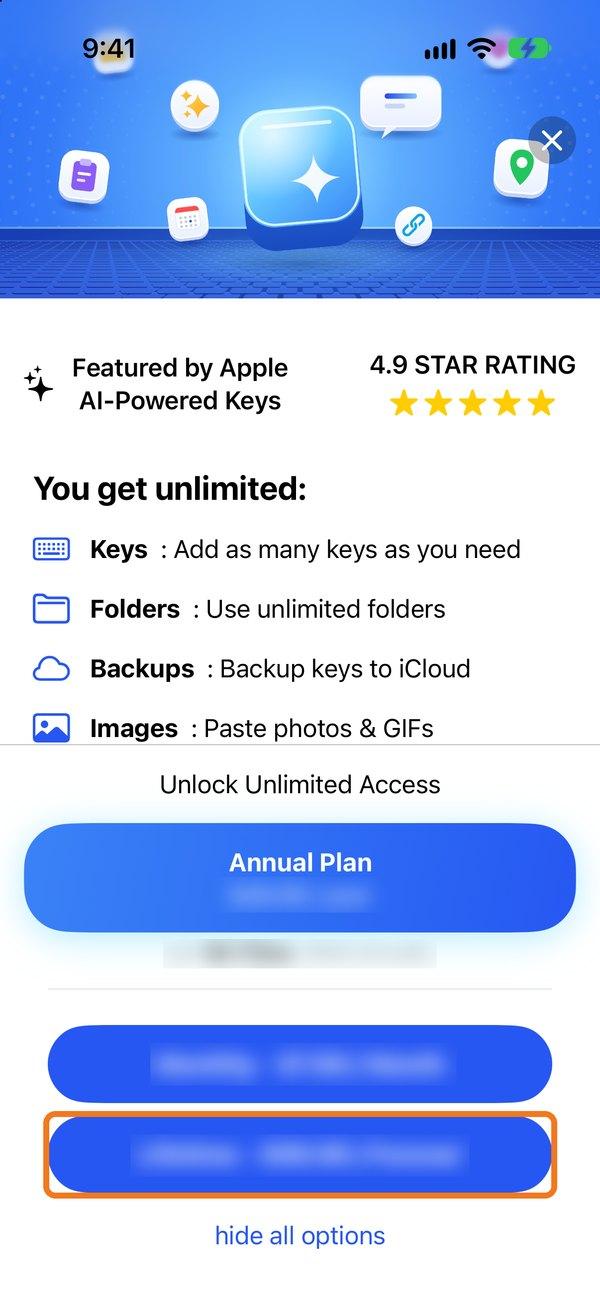
Your keys aren't deleted when the subscription ends. Anything over the free limit is locked until you buy Lifetime, then everything is back.
If you'd like money back for part of your subscription, you can ask Apple for a refund at reportaproblem.apple.com. We can't issue refunds ourselves. More about cancelling and refunds.
Picked monthly by mistake and want annual?
You can switch between monthly and annual any time in the Settings app → [your name] → Subscriptions → WordBoard.