How Do I Install The WordBoard Keyboard?
Here's how to add the WordBoard keyboard to your iPhone or iPad and turn on Full Access. The quickest way is from inside WordBoard:
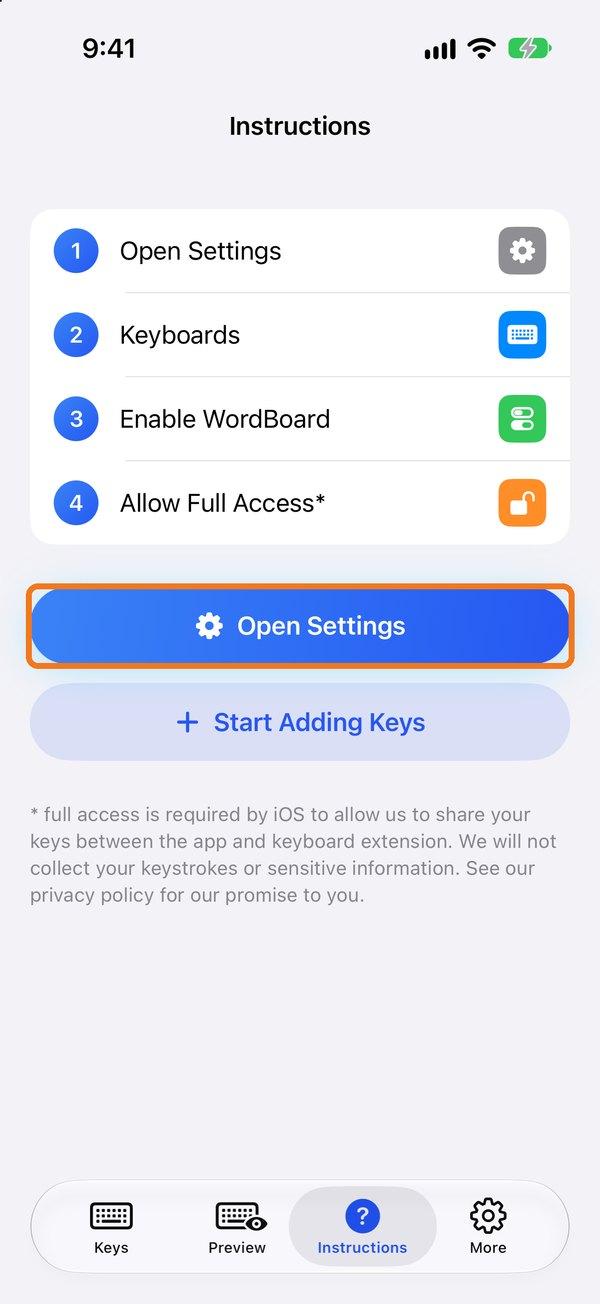
- Open WordBoard and go to the Instructions tab.
- Tap Open Settings.
- Tap Keyboards and turn on WordBoard.
- Turn on Allow Full Access.
From the Settings app
- Open the Settings app and go to General → Keyboard → Keyboards.
- Tap Add New Keyboard…
- Under Third-Party Keyboards, tap WordBoard.
- Tap WordBoard in your keyboard list and turn on Allow Full Access.
WordBoard needs Full Access to load your keys. Here's why.
To use it, tap the globe 🌐 key on your keyboard (or touch and hold it to pick WordBoard). More on switching keyboards.
Keyboard blank, missing, or switching back to Apple's keyboard? Here's what to do.